
What Month Is It?
Are you trying to figure out what month it is?


It's Currently the Month of:
Current Month Number:
This is the month for today's date, which is . Learn more about October.
More About the Current Month
- Full Name: October
- Abbreviated Name: Oct
- Month Number: 10
- Total Days in the Month: 31
Learn more about the months of the year.
October Calendar
| Sun | Mon | Tue | Wed | Thu | Fri | Sat |
|---|---|---|---|---|---|---|
| Labor Day | ||||||
| Start of Fall | ||||||
| Sun | Mon | Tue | Wed | Thu | Fri | Sat |
|---|---|---|---|---|---|---|
| Indigenous Peoples' Day | ||||||
| Halloween |
| Sun | Mon | Tue | Wed | Thu | Fri | Sat |
|---|---|---|---|---|---|---|
| Election Day | ||||||
| Veterans Day | ||||||
| Thanksgiving | ||||||
| Sun | Mon | Tue | Wed | Thu | Fri | Sat |
|---|---|---|---|---|---|---|
| Start of Winter | Christmas Eve | Christmas | ||||
| New Year's Eve |
You can also print a formatted calendar and see important holidays with our October 2026 Calendar.
Holidays This Month
How To Calculate the Current Month Using Excel or Sheets
You can also calculate what month it is using Google Sheets or Microsoft Excel with the MONTH() function.
=MONTH(TODAY())
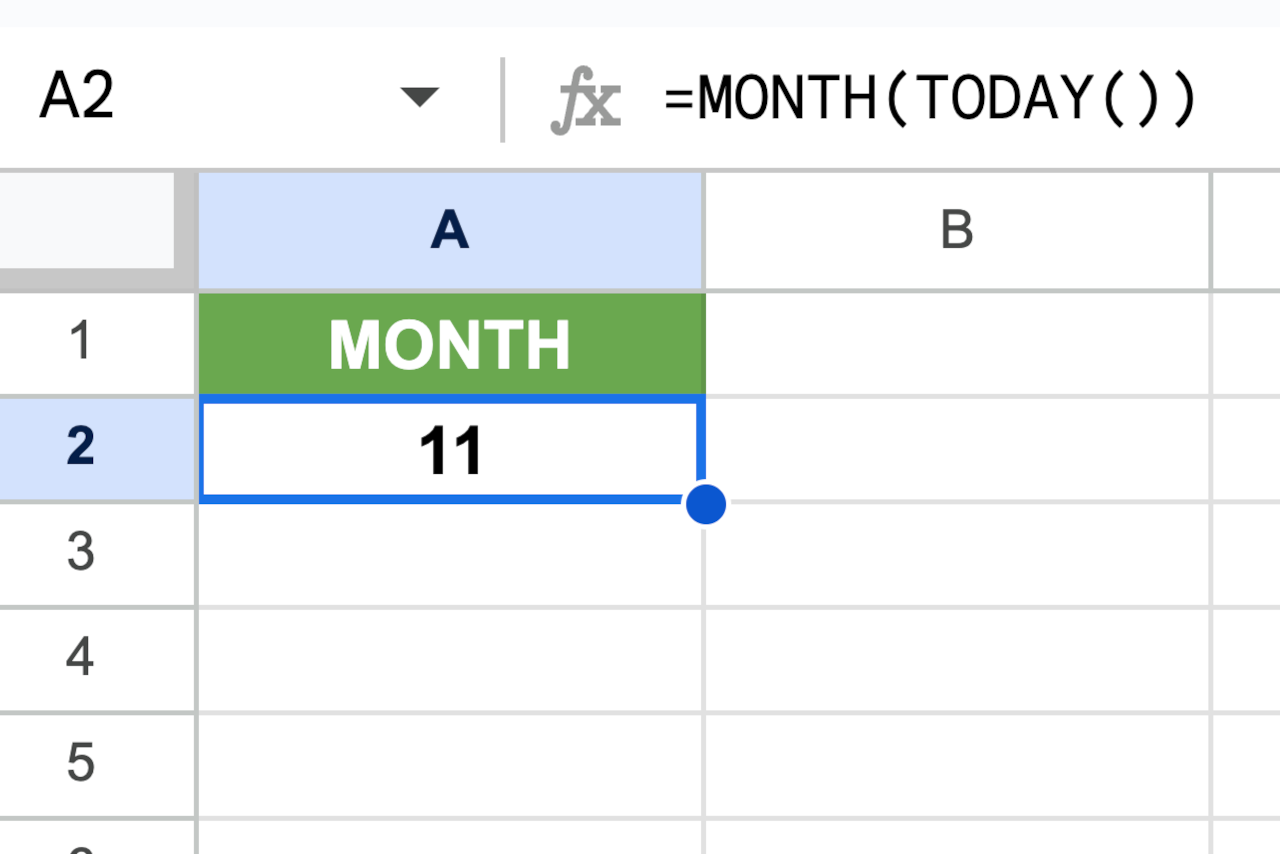
Simply enter this formula into any empty cell to get the month number for a date in any given cell. For instance, if the current date of 11/15/26, then you can enter the formula =MONTH(TODAY()) into a cell to calculate the current month and the result might look like this:
You might also be interested in our month calculator to find the number of months between two dates.